
We Need More Humans Controls
Mouse, pad, round timer, and the map objects the tooltips forget to mention.
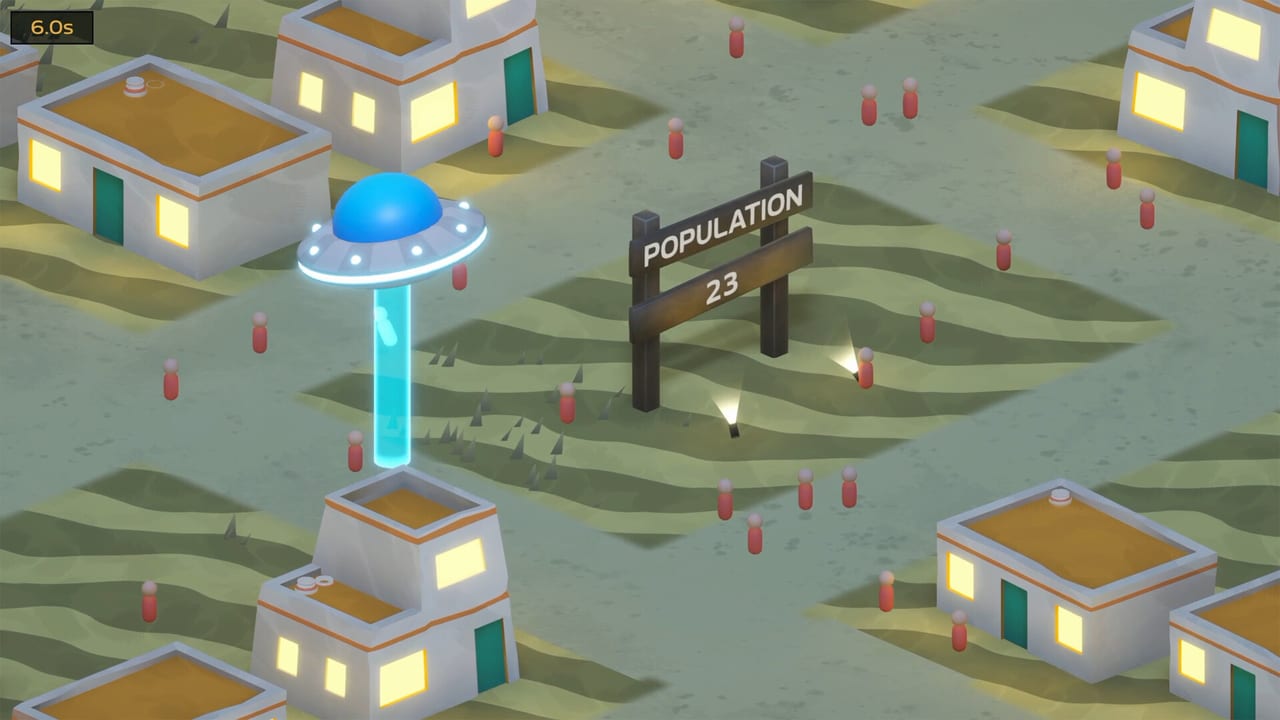
We Need More Humans is a point-and-fly abduction game, not a twin-stick shooter. The Steam page lists full controller support (Xbox, DualShock, DualSense) plus mouse-and-keyboard on Windows. There is no complex combo list. If the UFO is over a human, the beam does the work. The skill is pathing, not inputs.
Moving the saucer
On mouse, you steer by moving the pointer; the ship follows and the tractor beam hangs under it. You do not have to click every civilian. Playthroughs from GrayStillPlays and Ctop show the same trick: sweep through a crowd instead of stopping on each person. Once a human is inside the cone they usually stay there while you drag the beam down the street. That is how a six-second desert round can still empty a village of twenty people.
On a pad, the same idea applies with the left stick. Reviewers who played on controller liked the flying and disliked the skill tree cursor. Locked nodes are harder to inspect because you cannot hover as freely as with a mouse. If you are pad-only, buy what is highlighted and use this wiki’s skill tree page as the tooltip the game undersells.
Steam Deck compatibility is still unknown on the store page. The game is light (500 MB, 4 GB RAM) and has full controller support, so it is a reasonable experiment, not a promise.
The beam, the arms, and capacity
The main cone is your primary tool. Beam Capacity (renamed from Max Abductee in a June 2026 demo patch) is how many bodies that cone can hold at once. Beam radius is how wide the cone is. Abduct strength is how fast people leave the ground. Instant abduction chance later skips the lift animation entirely.
Mid-game ships grow extra arm beams — extra cones hanging off the saucer. A snow-map screenshot shows a dark craft with four green side beams plus the core. Arm Beam Capacity and Arm Beam Radius are the matching tree nodes. One late screenshot prices Arm Beam Capacity at 15 > 20 for $250.00M. You do not steer those arms separately; they come along for the ride, which is why radius upgrades matter more than fancy flying.
Round timer and the + icon
Every location is a timed round, not an idle sandbox. Gallery shots show:
- Desert village — 6.0s
- Snow town — 1.6s (brutal unless you already bought time)
- Suburb — 16.9s
- Dense city — 17.6s
- Neon city — 23.1s
Round Time on the tree is a real node: one early tooltip reads 10 > 11 Seconds, +1 Base, $18. Mid-round you can also snag extra seconds. The HUD draws a + beside the clock when time bonuses are in play. If a round ends with people still on the streets, you are not punished with a game over; you bank what you caught, spend, and come back. Population only hits zero when you finish the leftover stragglers across multiple visits.
Map gizmos you must fly over
This is the control issue Steam reviews actually complain about. The game does not fully explain that new toys are interactable. If you never dive onto the glowing bits, you will think the mode is only “vacuum the sidewalk.”
Fly through:
- Cyan orbs and street pickups
- Crop-circle swirls on the ground
- Pyramid or geometric pads in neon cities
- Anything that looks like a button, pad, or lure
Late maps add black holes that tug at orbs. Korean and English reviews both mention confusion about whether a hole is helping you or eating your pickup. Treat holes as hazards until you see a payout. Crop Circle chance is a tree stat (the demo even renamed it Crop Circle Chance Each Second). None of these gizmos auto-fire at the start; a very late node can spray the same effect across the whole map, which is why the last hours feel different from the first village.
The locations page shows where each biome puts these toys. The late game build is about routing the ship through gizmos and crowds.
Skill tree screen
After a round you land on a starfield with green diamond nodes. Main Menu sits bottom-left, Continue bottom-right, cash in the middle. Click (or A/cross) an unlocked node to buy it. The tree does not let you skip ahead. Locked grey locks are future clusters, not optional routes. A ship icon in the corner is customisation / cosmetics — reviewers say new saucers and beams are visual only.
When you are done shopping, Continue dumps you back on the map. That is the whole pause menu. There is no separate inventory, no loadout screen, and no invite flow because the game is single-player only.
Accessibility and quality-of-life
The demo listed custom volume controls and “playable without quick time events.” The full build keeps the same low-APM spirit. You can pause via the tree. Steam Cloud saves progress. If you are colour-blind, the money popups are green-on-isometric and the tree is neon green on navy — not the friendliest palette, but the population sign is high-contrast wood or neon and should remain readable.
Pair this page with getting started for the first hour and the walkthrough once maps get dense. If the beam feels tiny, you do not need a new control scheme — you need the radius nodes on the upgrade priority list.
Frequently Asked Questions
Quick answers to the most common questions.
Do I click every human?
No. Sweep the beam through them. Once they are inside the cone they usually stay lifted while you keep moving.
Is there a keyboard-only scheme?
Mouse steering is the natural PC setup. The store page advertises full controller support rather than a unique keybind overlay. See getting started for the first-hour loop.
Why is the skill tree awkward on a pad?
You cannot hover locked nodes as easily. Use the skill tree page as a legend and buy the highlighted cheap upgrade.
What does the + next to the timer mean?
Extra round time from pickups or upgrades. Round Time on the tree also raises the base clock.
How do map objects work?
Fly over them. They do not trigger from across the street until a very late tree node. The locations guide shows examples.